Introduction
Does your website need all of that?
Most business websites have a simple job: explain what you do, build trust, publish useful content and bring in enquiries. Yet many of them run on a stack of software that needs constant attention just to stay safe.
WordPress made publishing accessible to millions of businesses. But its admin panel, themes, plugins and database come with ongoing responsibilities that are easy to underestimate.
At Abacus, we think it's time to ask a simpler question: does your website need all of that?
Why This Matters More Now
Widely used software gives attackers a widely shared target
WordPress's popularity makes it an attractive target for attacks at scale. When a weakness is found in a widely used plugin, attackers can scan for sites running the affected version. They don't need to pick your business. They only need to find software they already know how to exploit.
AI can help attackers read code, understand known weaknesses and adapt their attempts. We expect that capability to put more pressure on businesses to address vulnerabilities quickly.
Keeping software patched remains essential. But every unnecessary component you remove is one less thing to defend.
What a Static Website Removes
Visitors receive finished pages instead of pages assembled by a CMS
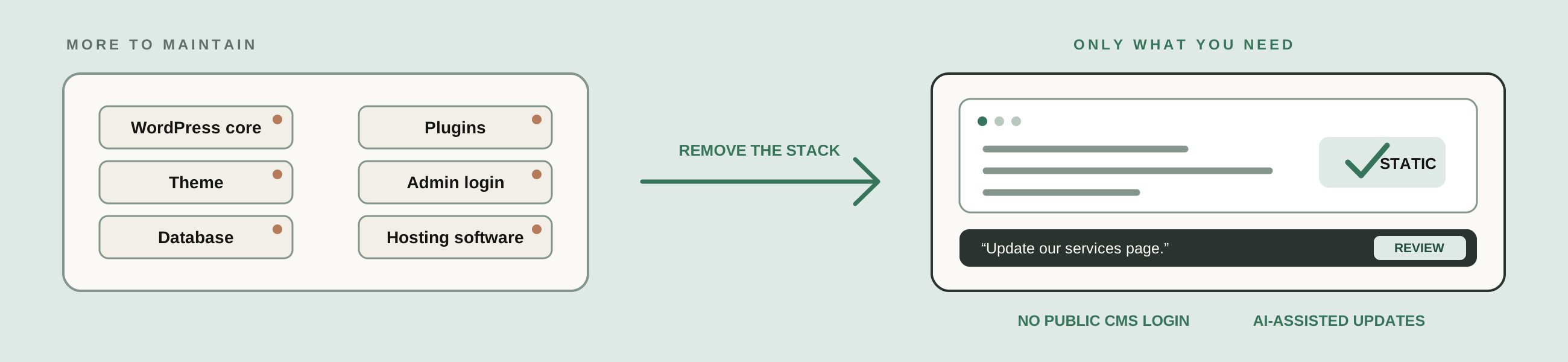
A static website serves pages that are built in advance. Visitors get a finished page, with no CMS or database assembling it on the fly.
For a site that mainly publishes information, that can mean no public CMS login page, no live content database and no server-side CMS plugins.
Traditional CMS
- A public administration login
- A live content database
- Server-side plugins and themes
- Several components to update together
Static website
- Finished pages delivered to visitors
- No public CMS login to attack
- No live CMS database behind the pages
- Interactive services handled separately
That changes what an attacker can reach. A login page that doesn't exist can't be attacked. A database that isn't part of the public website can't be accessed through a vulnerable CMS plugin.
Forms, search and booking tools still need careful design. But each can be handled on its own, instead of the whole site depending on a full CMS.
Updating Your Site by Asking
AI gives businesses another way to manage content
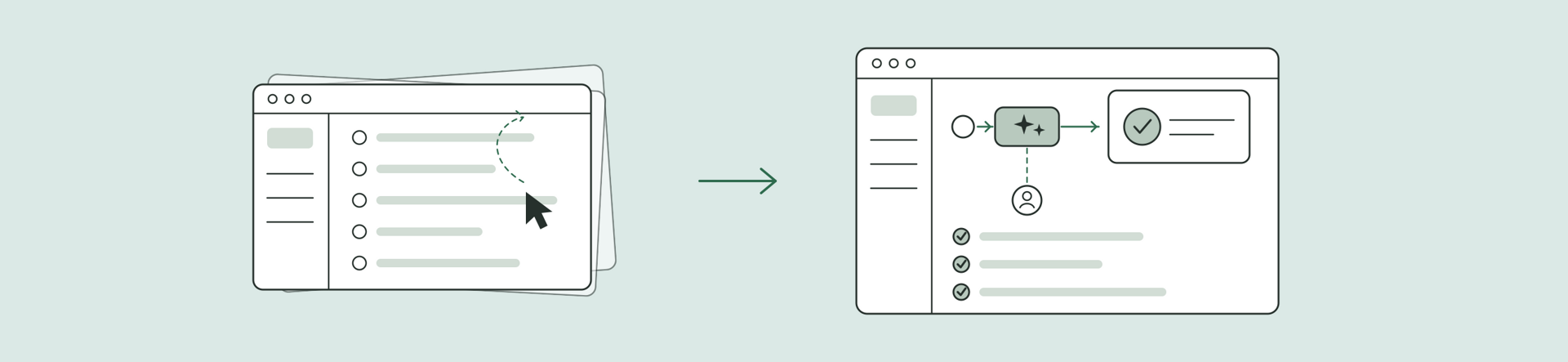
A major reason businesses chose WordPress was so they could update their site without calling a developer. AI now offers another way.
You describe the change in plain language:
- “Add these three services to our services page.”
- “Turn these notes into a draft article.”
- “Replace our team photos.”
An AI agent prepares the update. You see a preview, review the changes and approve them for publishing.
In our proposed workflow, the AI works on a separate copy of your site. You get a straightforward way to manage content without exposing a traditional CMS to the open internet.
What This Doesn't Solve
Simpler architecture reduces exposure; it does not eliminate responsibility
No setup eliminates risk. A static site still relies on secure hosting, protected code repositories, protected deployment accounts and maintained build tools. Third-party scripts and connected services bring their own risks. Changes prepared by AI still need human review, especially when they affect functionality.
The benefit comes from what you remove and how carefully publishing is controlled. Replacing WordPress with a complex modern application doesn't automatically make a site safer, and a modern framework doesn't automatically produce a static site.
Moving Without Losing What Works
A migration starts with what your business actually uses
Your current site may do more than display pages: approval workflows, booking forms, integrations or an online store. A migration has to account for all of it.
We start by identifying what your business actually uses, then choose the right replacement for each piece. Content pages and articles can move to a static site with AI-assisted updates. Stores, customer accounts and other interactive services can run on dedicated systems connected to the new site, with their own security and maintenance requirements.
We also plan for your existing content, important URLs, redirects, search visibility, enquiry forms and analytics. We can't guarantee rankings, but preserving what already works is part of the plan from day one.
Is Your Website More Complex Than It Needs to Be?
If you're paying for plugin updates and security maintenance just to keep a few pages and a blog online, that complexity may no longer be serving you.
Contact Abacus to discuss what your website runs, which features your business uses and whether a simpler setup would work for you.
Acknowledgements
Created by Richard Maurice, founder and AI solutions architect at Abacus.